Google Business Profile suspended? Get it back
Gone from Google Maps, marked “disabled”, or stuck in video verification? Answer a few quick questions and get the likely cause, the fixes to make first, the documents Google wants, and an appeal ready to paste. Free, and nothing to sign up for.

Updated 9 min read
Google Profile Rescue Kit
Free. About 3 minutes. Nothing to sign up for.
Your answers stay in your browser unless you choose to send them to us.
Want us to handle it?Free check. Appeal ready to paste.
Start the free checkThe short answer
Don’t panic, and don’t make a new listing. Find out exactly what Google has done, and fix anything that breaks its rules. Gather documents that show your business name and address. Then appeal once through Google’s appeals tool. Google says decisions take up to 5 business days.
- Check the status firstGoogle’s status tool shows whether the listing is suspended, disabled or needs verifying.
- Fix it before you appealExtra words in the name, a virtual office, a home address on show and fake 24-hour opening are the usual causes.
- Appeal once, with proofSend documents with the same name and address as your listing. Repeat appeals can get all your requests ignored.
Suspended, disabled or unverified: which is it?
Suspended means your listing is gone from Google Maps and Search. Disabled means it still shows, but you can’t manage it. Both are fixed with an appeal. Unverified means Google wants you to verify again, usually by video.
| Status | What customers see | What you can do | How to fix it |
|---|---|---|---|
| Suspended | Nothing. The listing is gone from Maps and Search | Nothing in the profile until it’s back | Fix the cause, then appeal with proof |
| Disabled | The listing as normal | You can’t edit it or reply to reviews | Appeal, with proof |
| Account restricted | Every listing that account manages goes down | You can’t manage or claim listings | Appeal the account first, then the listings |
| Verification required | Often the listing, with less detail | You can’t reply to reviews, add photos or post | Verify again, usually with a short video |
To check, search your business name on Google Maps on your phone while signed out of Google. Then open Google’s verification status tool, which shows the exact status of every listing you manage. If every listing on your account went down at once, check myaccount.google.com/restrictions too.
Why Google suspends listings
Usually because something on the listing breaks Google’s guidelines, and an automatic check or a competitor’s report caught it. Google rarely tells you which rule. These are the most common causes, with Irish examples.
| What triggers it | Example | The fix |
|---|---|---|
| Extra words in the business name | “Murphy Plumbing Dublin 24/7” when the van says “Murphy Plumbing” | Use exactly the name on your sign, van and invoices. Let your category say what you do: see choosing your Google Business Profile category |
| A virtual or registered office address | Your accountant’s address, a virtual office or a PO box | Use the address you actually work from |
| A home address on show | An electrician who goes to customers, with their home address visible | Hide the address and list the areas you cover |
| Fake 24-hour opening | “Open 24 hours” when nobody answers at night | Show your real hours |
| More than one listing | An old duplicate, or a listing for each town or service | One listing per business, plus one per staffed premises |
| A huge service area | “All of Ireland” for a one-van business in Athlone | Areas within about 2 hours’ drive of your base |
| Big edits, or a risky manager | Name, address and category changed in one week, or an agency account that got restricted | Stop editing, and remove managers you don’t know |
| Rewards for reviews | “10% off for a 5-star review”, or a sudden burst of reviews | Ask every customer, one at a time, and never offer anything. See how to ask for a Google review |
Sometimes nothing is wrong and an automatic sweep caught a real business by mistake. Then the documents do the work. One Irish point is worth knowing. If you trade under any name other than your own, it must be registered as a business name with the CRO. It costs €20 online, and the certificate is strong proof for an appeal. Our guide on how to get your business on Google Maps covers setting up a listing that stays within the rules.
The documents Google accepts, in Irish terms
Google asks for business registration, a licence, tax certificates or utility bills, with the same business name and address as your listing. Here’s what that means in Ireland.
| Google asks for | In Ireland, that’s |
|---|---|
| Business registration | Your CRO certificate of incorporation, or your CRO business name certificate |
| Business licence | Your trade or professional registration: Safe Electric, RGI, the Dental Council, CORU or a Law Society practising certificate |
| Tax certificate | A Revenue tax clearance certificate, or your VAT registration |
| Utility bill | An electricity, gas, phone or broadband bill for the business address |
| Photos | Your permanent sign and premises from the street, or your branded van and tools |
- Match the name exactlyThe name on your documents, your sign and your listing should be the same. Fix the listing first if it isn’t.
- Match the addressFor a business that goes to customers, that’s your base, even though it’s hidden on the listing.
- Have every file ready firstSave them as PDF or JPG before you open the appeal. Google has given a 60-minute window for uploads in the past.
How to appeal, step by step
Fix the cause, then send one appeal through Google’s appeals tool with your documents and a short explanation. Google says not to send more than one appeal for the same issue.
- Check your status. Use Google’s status tool. If your whole account is restricted, appeal that first at myaccount.google.com/restrictions.
- Fix what breaks the rules. If Google still lets you edit the listing, make the changes before you appeal. If it doesn’t, say in your appeal what you’ve changed or will change.
- Open the appeals tool. Choose the listing and the decision, attach your files and explain in plain words who you are and how you serve customers. Keep it under 1,000 characters.
- Wait. Google says appeal decisions take up to 5 business days. Don’t edit the listing or appeal again while you wait.
- If it’s turned down, you can ask for one additional review, with new evidence. Google also lists extra ways to challenge decisions for businesses in the EEA, which includes Ireland.
Since 29 September 2026, Google’s rules also cover repeated unfounded reports or appeals. These can lead Google to reject all further complaints without looking at them. One careful appeal beats five rushed ones. The Rescue Kit at the top of this page writes the appeal for you from your answers.
Video verification: what to film
One continuous video of at least 30 seconds, recorded live on your phone. It shows where you are, that the business exists, and that you run it. The name you show has to match your listing exactly.
- Where you areA street sign, your building number or a business next door. If you go to customers, a landmark near your base.
- That the business existsYour name on a permanent sign, or on your van, tools or uniform if customers don’t come to you.
- That you run itUnlock the door or the van, open the till, or show an invoice or utility bill in the business name.
- What to leave outOther people’s faces, and any bank, tax or ID numbers.
If customers come to your premises but there’s no permanent sign, Google says to list the business as one that goes to its customers instead. If your video was rejected, open “Review issues” in the app. Then record a new one that shows everything from the first, plus what was missing. Choose “Google wants me to verify” in the Rescue Kit and it writes a shot-by-shot script for your business. Our guide to Google Business Profile without a shopfront explains hiding your address properly.
Calls saying your listing will be suspended
They’re not from Google. Google says it will never try to get you to pay to keep, verify or reinstate a Business Profile. And it will never ask for a one-time code or PIN.
If someone rings or emails about your listing, don’t pay, don’t share any code, and don’t add them as a manager. Check your listing yourself with Google’s status tool. If you’ve already shared a code, change your Google password, turn on 2-step verification and remove anyone you don’t recognise from your listing. If you paid, call your bank, then report it to your local Garda station.
When to get help, and what it costs
Was your appeal turned down? Is the cause unclear, or does the listing bring in most of your calls? Then it’s worth getting someone who does this every week. Our Google profile rescue is €199, with no fee if your listing isn’t reinstated.
We find the cause, fix it, put together the evidence and handle the appeal. If you’d rather do it yourself, use the Rescue Kit above and ask us to check your appeal before you send it, for free. Once you’re back, our Google Business Profile management keeps the listing within the rules, and every price is on our pricing page. For the rest of your listing, see our Google Business Profile guides.
Questions people ask
Something else on your mind? Email info@leadsireland.com.
Why was my Google Business Profile suspended?
Usually because something on the listing breaks Google’s guidelines. It could be extra words in the name, a virtual office or PO box, or fake 24-hour hours. It could also be a home address on show for a business that goes to customers, or a duplicate listing. Sometimes an automatic sweep catches a real business by mistake. Google rarely says which rule, so check them all.
How long does a Google Business Profile appeal take?
Google says appeal decisions take up to 5 business days. Some complicated cases take longer. Don’t edit the listing or send another appeal while you wait.
Can I appeal more than once?
Google says not to send more than one appeal for the same issue before you get a decision. If it’s turned down, you can ask for one additional review with new evidence. Since September 2026, repeated unfounded requests can lead Google to reject all further complaints without looking at them.
Should I make a new listing instead?
No. Google says not to create a new Business Profile for the same business, and a new listing starts with no reviews. Appeal the one you have.
Will I lose my reviews?
Usually your reviews come back when the listing is reinstated, but some owners lose reviews after a suspension. That’s another reason to appeal quickly, and properly, the first time.
What documents does Google accept in Ireland?
Your CRO certificate of incorporation or business name certificate, and a Revenue tax clearance certificate or VAT registration. Also a trade or professional registration, and utility bills for the business address. The name and address on them should match your listing.
What’s the difference between suspended and disabled?
A suspended listing is removed from Google Maps and Search. A disabled listing still shows to customers, but you can’t edit it or reply to reviews. Both are fixed with an appeal.
Does Google charge to reinstate a listing?
No. Google doesn’t charge to verify or reinstate a Business Profile. Anyone who calls asking for money to fix your listing isn’t Google.
Can I verify without a shop sign?
Yes, if customers don’t come to you. List the business as one that goes to its customers, and hide the address. Then film your area and your branded van or tools. Show something that proves you run the business, like unlocking the van or an invoice in the business name.
Reviews and real leads
What clients say about Essa’s work. And leads that came in through sites he does SEO for.
“Since then, my site ranks higher and more people find it on Google. … I’d recommend him to anyone who needs help with SEO.”
“He’s an incredibly talented and knowledgeable individual, not only in SEO but in various fields. … He has constantly delivered phenomenal outputs.”
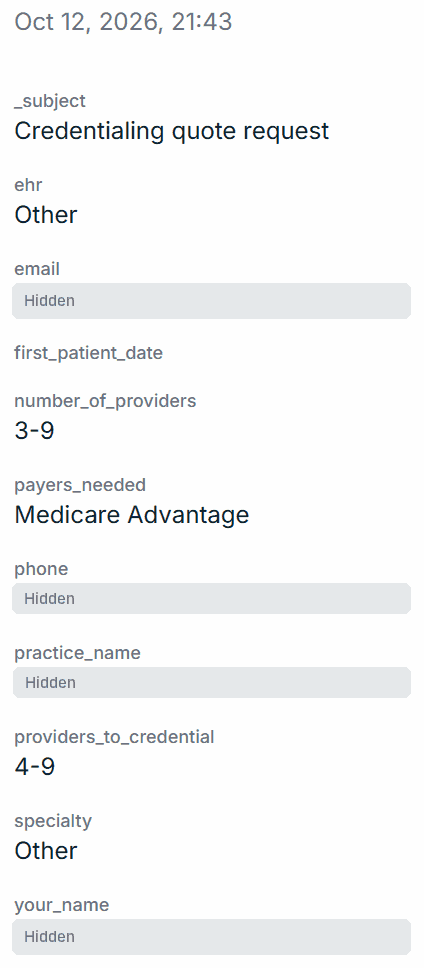
$100k+ lead
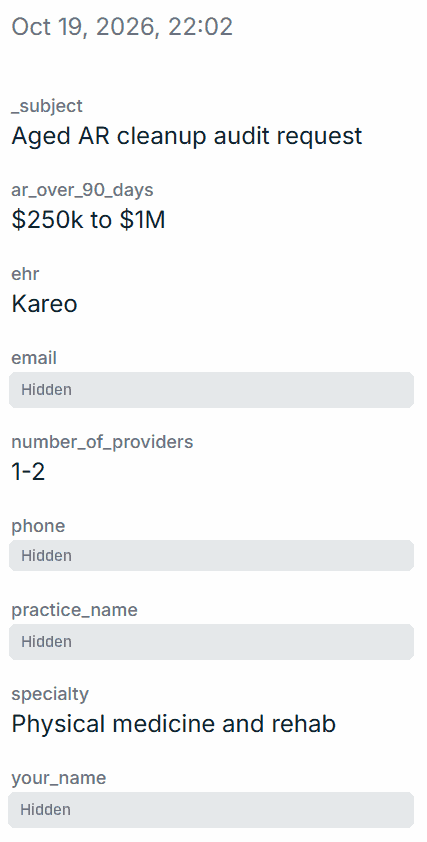
Aged AR audit request
Physical medicine and rehab · $250k–$1M unpaid over 90 days
Quilven · 19 October 2026
$100k+ lead
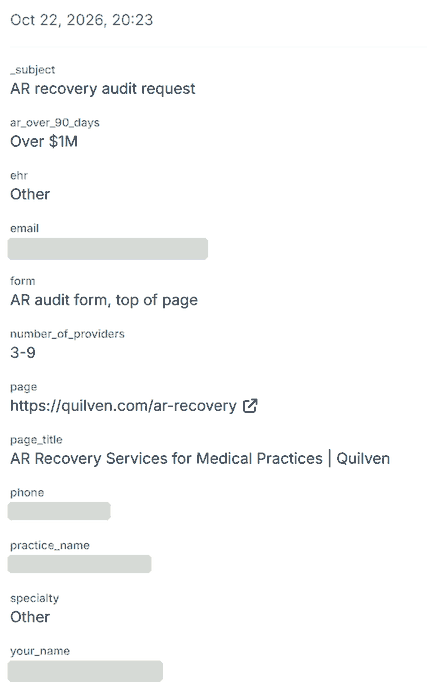
AR recovery audit request
3–9 providers · over $1M unpaid over 90 days
Quilven · 22 October 2026
Read the full messages on our reviews page, or see how the Quilven leads came in. Worked with us? Review us on Trustpilot.
Rather talk it through?
Book a free 20-minute call and we’ll look at your listing with you. Or, once you’re back on Google, get a free audit of what’s holding you back.
- A real person, not a ticket queue
- Findings within 24 hours, in plain English
- No obligation and no hard sell
Get help with your listing
Pick a free call or a free audit. It takes 30 seconds.