How to ask for a Google review (with messages you can copy)
Ask every customer soon after the job, with a link that opens the review box. Keep it short, don’t mention stars, and don’t tell them what to write. Here are messages you can copy for your type of business, a checker for your own wording, and the Irish rules most templates miss.

Updated 11 min read
Free Google profile check or SEO consultation
No obligation. Trusted by 10+ clients.
Free SEO auditFindings by email within 24 hours.
Get my free auditThe short answer
To ask for a Google review, send each customer your Google review link soon after the job. Use a short, personal message asking for an honest review. Don’t mention stars, offer anything in return or tell them what to write: Google removes reviews collected that way.
Here’s a request that does all of that, in five parts.
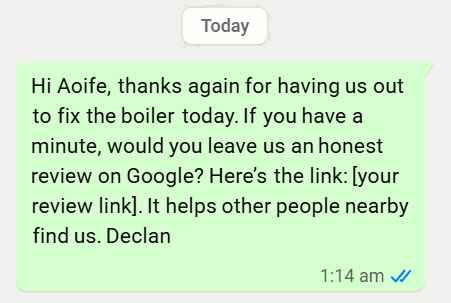
Text message
1 Hi Aoife, 2 thanks again for having us out to fix the boiler today. 3 If you have a minute, would you leave us an honest review on Google? 4 Here’s the link: [your review link] 5 It helps other people nearby find us. Declan
- 1. Their nameIt reads as a message from you, not a mass text.
- 2. Thanks for the specific jobIt reminds them which visit you mean, while it’s fresh.
- 3. Ask for an honest reviewNo stars, nothing in return and nothing about what to write.
- 4. The linkIt opens the review box, so leaving a review takes one tap.
- 5. A reason and your namePeople are more willing to help a person than a company.
Why asking works
Most happy customers never think to leave a review until someone asks. In BrightLocal’s 2026 survey of 1,002 US adults:
So the businesses with the most reviews aren’t luckier. They ask more people, more consistently, and make it easy. For how many you need to catch the top three in your area, see our guide on how to get more Google reviews.
Get your review link and QR code
Your Google review link opens the review box for your business directly. Get it from your Business Profile: sign in at business.google.com, select Read reviews, then Get more reviews, and copy the link. The QR code is in the same place, on a computer only.
Sign in on a computer at business.google.com, with the Google account that manages your profile.
Select Read reviews, then Get more reviews. Google shows your review link and a QR code (Google’s steps).
Copy the link, and right-click the QR code to save it as an image. Google only makes the QR code on a computer, not on a phone.
Keep both where you’ll use them. Save the link as a text shortcut on your phone and in your email signature. Send the QR code to whoever prints your invoices, cards and van signs.
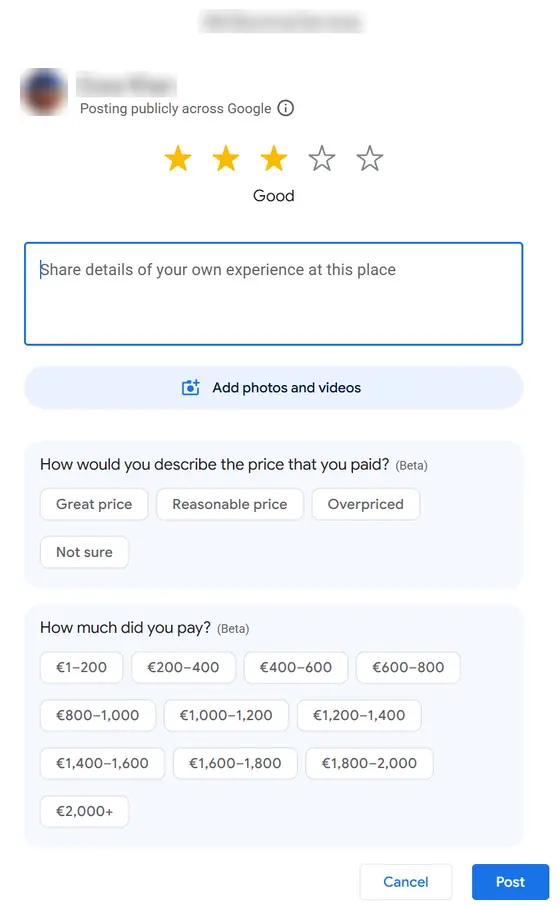
Customers need to be signed in to a Google Account to leave a review. But Google says they can create one with any email address, not just Gmail. No profile yet? Start with our guide to getting your business on Google Maps.
Where to share your link
Put it wherever a customer already is at the end of the job. Google itself suggests receipts, thank-you emails, the end of a chat and a printed QR code in your shop.
A text or WhatsApp
Sent the day of the job, from your own phone.
The most personal option, and the easiest to tap.
Your follow-up email
The thank-you, invoice or “how did we do?” email.
Works well for solicitors, accountants and anyone who emails anyway.
Booking confirmations
The message your booking system sends after an appointment.
Set it once and every customer gets asked.
Invoices and receipts
The link on emailed invoices, the QR code on paper ones.
One line at the bottom is enough.
Your counter, van or card
A printed QR code where customers can scan it.
Tap cards and stands work the same way: they just open your link.
In person
Ask at the end of the job, then send the link so it’s there when they have a minute.
People rarely say no to someone who just did good work.
When to ask
As soon as the customer has seen the result, while it’s fresh. The longer you wait, the fewer people do it.
| Business | When to ask | How |
|---|---|---|
| Trades | The day the job is finished, once the customer has seen it working | A text with the link before you leave the driveway |
| Cleaners | After the first clean or a deep clean; for contracts, at a natural check-in | A text or WhatsApp to the person who booked |
| Clinics, dentists and physios | After an appointment, through your normal reminder channel | A general “thanks for coming in” message, with no mention of treatment |
| Solicitors and accountants | When the matter is finished: the sale closes, the return is filed | An email from the person they dealt with |
| Shops, cafés and salons | At the counter, or in a receipt or booking follow-up | A QR code on the counter and a link in booking messages |
Messages you can copy
Short, friendly and inside Google’s rules: no star ratings, nothing offered in return, and nothing about what to write. Swap in your own details.
For any business
Hi [first name], thanks again for having us out today. If you have a minute, we'd really appreciate an honest review on Google: [your review link]. It helps other people nearby find us. [Your name], [business name]
Subject: How did we do?

Hi [first name],

Thanks for choosing [business name]. If you have two minutes, would you leave us an honest review on Google? It goes straight to the review box: [your review link]

Every review helps other people decide, and we read all of them.

Thanks,
[Your name]
Would you mind leaving us a review on Google? I'll text you the link now so it's there when you have a minute.
Hi [first name], just a quick reminder in case it slipped your mind. Here's the link if you'd like to leave a review: [your review link]. No worries at all if not. [Your name]
Tell us how we did. Scan to leave a Google review.
By type of business
Hi [first name], thanks for coming in to see us today. If you have a minute, we'd appreciate an honest review on Google: [your review link]. [Practice name]
Subject: Thank you, and one small request

Hi [first name],

Now that [your sale has closed / your return is filed], thank you for trusting us with it. If you have a couple of minutes, an honest review on Google would mean a lot: [your review link]

Kind regards,
[Your name]
Hi [first name], it's [your name] from [business name]. We've been cleaning for you for [three months] now, so we'd love to hear how we're doing. If you have a minute, here's our Google review link: [your review link]. Thanks!
Thanks for visiting [business name] today, [first name]. If you've a minute, we'd love an honest review on Google: [your review link]
Clinics: keep the request general. Never mention a treatment or condition in the message, and never confirm in public that someone is a patient.
Check your own message
Already have a message, or one from your booking software? Paste it in to check it against Google’s rules and Irish data protection rules. The example below is full of the usual mistakes.
Checked in your browser: nothing you paste is sent anywhere. It catches the common problems, not every one, so read Google’s policy if you’re unsure.
What not to say
Each of these turns up in popular review templates online, and each breaks Google’s review policy or Irish rules.
| Don’t | Why | Do this instead |
|---|---|---|
| “Please leave us a 5-star review” | Google bans trying to influence the rating | “an honest review” |
| “Please mention Sarah and the boiler service” | Google bans asking for specific content, including staff names | Just ask for a review |
| “Get 10% off your next visit for a review” | Incentives are banned, and those reviews get removed | Ask without offering anything |
| “If you’re happy with us, leave a review” | It steers only happy customers to Google, and selective asking is banned | Ask every customer the same way |
| “Leave us a review, and book again for 20% off” | The offer turns a feedback message into marketing under Irish rules | Keep the request plain, and send offers separately |
Texting and emailing customers: the Irish rules
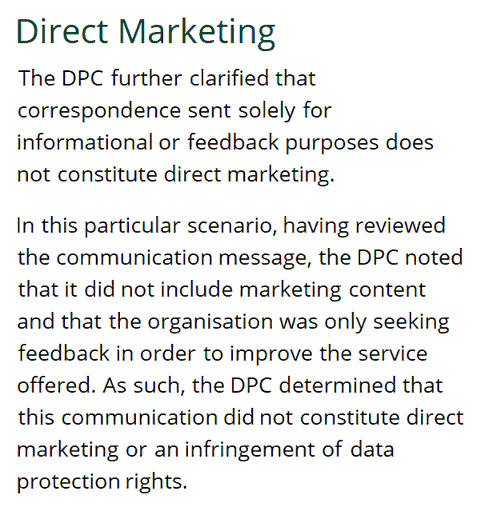
In Ireland, a message that only asks for feedback isn’t direct marketing, according to the Data Protection Commission. Add an offer or a promotion, and it becomes marketing, which needs the customer’s consent and a way to opt out.
The DPC looked at a complaint about an airline email asking a passenger for feedback on a recent trip. The email had no unsubscribe link, but it had no marketing in it either, so the DPC found it wasn’t direct marketing. Marketing by text and email is covered by the ePrivacy Regulations (S.I. 336/2011), and those do need consent.
- Keep the request plainThanks, the ask and the link. No offers, no “book again” and no newsletter sign-up.
- Ask people you’ve servedUse the number or email they gave you for the job. Never buy a list or message strangers.
- Send offers separatelyOnly to customers who agreed to marketing, with an easy way to opt out.
This is general information, not legal advice. If you’re unsure about your own messages, ask a solicitor or check the DPC’s guidance.
Make it a habit, not a campaign
The businesses with the most reviews didn’t run one big push. They ask every customer, every time, as part of finishing the job. Here’s the whole routine.
- The day of the job
Send the link. Before you leave, or the same day, while the result is fresh.
- A few days later
One reminder, if they haven’t left one. After that, leave it. Some people won’t, and that’s fine.
- When it arrives
Reply to it, good or bad. Our guide to replying to a bad Google review covers the hard ones.
- Every job
Repeat. Put “send review link” on your end-of-job checklist, or let your booking or invoicing software send it.
Two things to avoid along the way. Don’t give staff a target number of reviews, because Google’s policy bans review quotas. And check that your review software doesn’t ask customers how happy they are first and only send the happy ones to Google. That’s a “review funnel”, and our Google reviews guide explains why it gets reviews removed.
When to get help
Every SEO plan on our pricing page includes a review system. You get your review link, a QR code, request messages that follow Google’s rules, and a reply to every review. It’s also part of our Google Business Profile management. If you only want the link, QR code and messages set up, they come with our Google profile fix-up. That’s a one-off €149 plus VAT.
Questions people ask
Something else on your mind? Email info@leadsireland.com.
How do I send someone a link to leave a Google review?
Sign in at business.google.com on a computer, select Read reviews, then Get more reviews, and copy the link. Send it by text, WhatsApp or email. You can also save a QR code from the same screen to print.
What should I say when asking for a Google review?
Use their name, thank them for the specific job, ask for an honest review and include your link. Keep it to two or three sentences, and don’t mention stars or offer anything in return.
How do I politely ask for a 5-star review?
You can’t, under Google’s rules. Businesses aren’t allowed to try to influence the rating or the content of a review. Ask for an honest review instead; if your work is good, most of them will be five stars anyway.
Can I offer something in return for a review?
No. Google bans incentives such as discounts, freebies, prize draws or payment in exchange for reviews, and removes reviews it finds were incentivised.
Is it OK to send a reminder?
One polite reminder a few days later is reasonable. After that, leave it: some customers won’t review, and that’s fine.
Can I text or email customers asking for a review in Ireland?
Yes, as long as the message only asks for feedback. Ireland’s Data Protection Commission has found that a feedback-only message isn’t direct marketing. Add an offer or promotion, and it becomes marketing, which needs consent and an opt-out.
Do customers need a Gmail account to leave a review?
They need to be signed in to a Google Account, but Google says they can create one with any email address, not just Gmail.
Can I use an NFC tap card or review stand?
Yes. They open your review link, the same as a QR code. The same rules apply: ask every customer, and don’t offer anything in return.
Why hasn’t a customer’s review shown up?
Google sometimes holds back or removes reviews it suspects break its policies, and some take a while to appear. If a genuine review is missing, ask the customer to check it’s still on their account.
Reviews and real leads
What clients say about Essa’s work. And leads that came in through sites he does SEO for.
“Since then, my site ranks higher and more people find it on Google. … I’d recommend him to anyone who needs help with SEO.”
“He’s an incredibly talented and knowledgeable individual, not only in SEO but in various fields. … He has constantly delivered phenomenal outputs.”
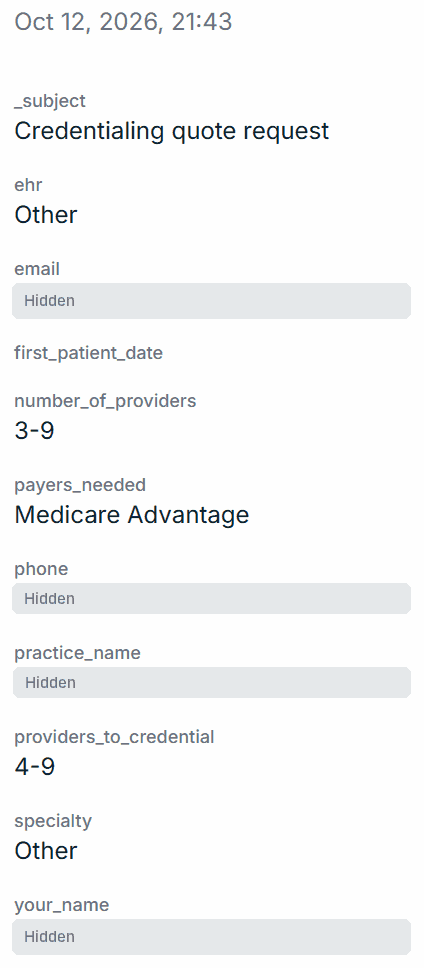
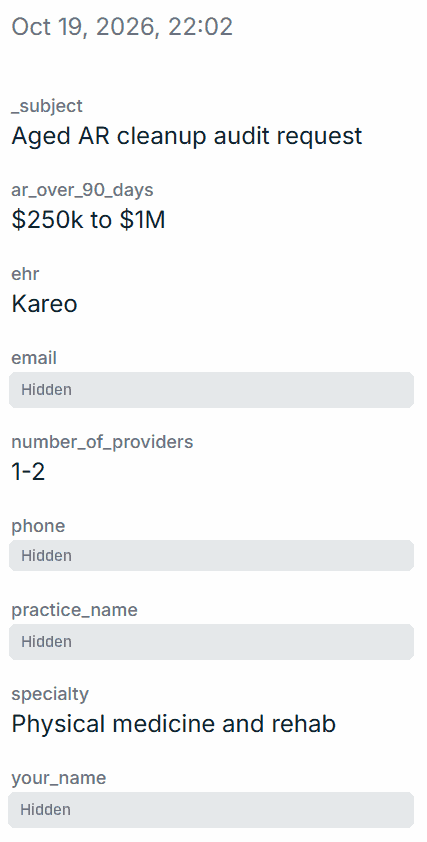
$100k+ lead
Aged AR audit request
Physical medicine and rehab · $250k–$1M unpaid over 90 days
Quilven · 19 October 2026
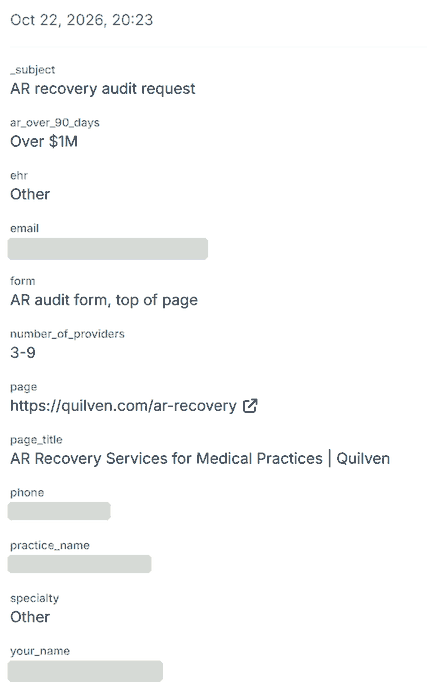
$100k+ lead
AR recovery audit request
3–9 providers · over $1M unpaid over 90 days
Quilven · 22 October 2026
Read the full messages on our reviews page, or see how the Quilven leads came in. Worked with us? Review us on Trustpilot.
See where you stand on the map.
Get a free audit of your Google Business Profile and website. You’ll see where you appear on the map, who’s above you and what to fix first.
- Your profile compared with the top three
- Findings within 24 hours, in plain English
- No obligation and no hard sell
Get your free SEO audit
Or book a free 20-minute call instead. It takes 30 seconds.