Eircode not showing on Google Maps? How to fix it for your business
Google Maps can’t find your Eircode, or it drops the pin on the wrong house. Customers and couriers end up lost. It’s nearly always one of four problems, and each one has its own fix. Find yours below in 30 seconds.

Updated 11 min read
Free website audit or SEO consultation
No obligation. Trusted by 10+ clients.
Free SEO auditFindings by email within 24 hours.
Get my free auditWhy isn’t my Eircode showing on Google Maps?
Usually because it’s new. Google Maps has worked with Eircodes since November 2017, but it doesn’t add every new one straight away.
Rural addresses are the other big cause. 35% of addresses in Ireland share their address with at least one other property, so Google can put the pin on the wrong house. Your Eircode is the one part of the address that’s unique to your building.
Missing? Add it yourself with “Edit the map”. In the wrong place? Use “Suggest an edit”. Stuck on Pending? Ask a Product Expert to escalate it.
- Format
- 7 characters: a 3-character routing key and a 4-character unique identifier, like A65 F4E2
- Zero or O?
- Eircodes use the number zero. They never use the letter O
- How many
- Over 2.2 million addresses have one
- In Google Maps
- Since November 2017
- New addresses
- Added from An Post GeoDirectory data every month. You don’t need to apply
- Next Eircode update
- November 2026
- Who fixes Maps
- Google. You send the fix in Google Maps, and Google checks it
Sources: the Eircode FAQs, Eircode’s 2017 Google Maps announcement and its page on getting an Eircode.
Find your problem in 30 seconds
Answer two questions. We’ll tell you which of the four fixes you need, and where to start.
Everything runs in your browser. Nothing you pick is sent anywhere.
Fix 1: Your Eircode doesn’t exist yet
If the Eircode Finder can’t find your address, Google Maps won’t find it either. New homes and renovated buildings get their Eircode from An Post GeoDirectory data. That takes time, but you don’t need to apply.
- Every monthAn Post GeoDirectory sends Eircode the new addresses from the month before.
- Every quarterA full update follows, which also picks up renovated and repurposed buildings.
- Next update: November 2026That’s the date Eircode gives on its getting an Eircode page.
- A letter followsEircode posts a letter to each new address that gets a code that quarter.
Before you wait, search the Eircode Finder properly. Try it without the first line of your address. Or find your building on its map.
A pink marker on your building means it has an Eircode. Move the map so the target sits on the marker, then press “Get Eircode”.
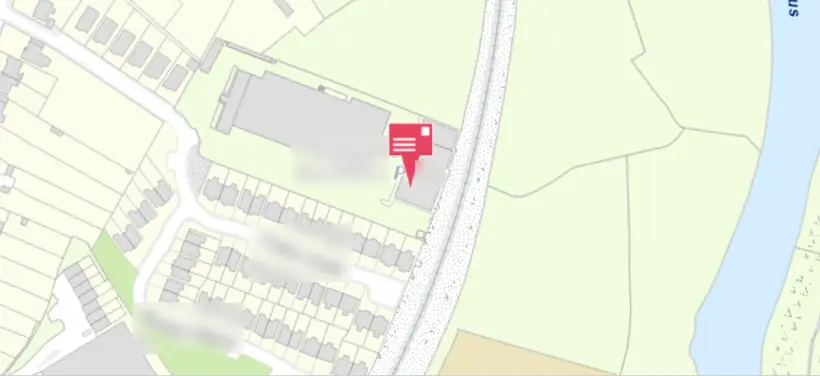
No pink marker, and your building has been there for years? Contact the Eircode team. Their details are on the same getting an Eircode page.
Wrong business name on the Eircode Finder? Eircode can’t change it. Contact An Post GeoDirectory instead.
Fix 2: How to add your Eircode to Google Maps
If the Eircode Finder shows your address but Google Maps doesn’t, add it to Maps yourself. It’s free and takes two minutes. Google checks it before it goes live.
On a computer
Open Google Maps in your browser and click the Menu (the three lines, top left).
At the bottom, click Edit the map, then Wrong pin location or address.
Move the map until the centre sits on your building.
Type the address exactly as the Eircode Finder shows it, with your Eircode.
Click Submit.
On an Android phone
Open the Google Maps app and tap Contribute, then Update address.
Move the map so the centre sits on your building.
Enter the address and Eircode, then tap Submit.
The iPhone app works in much the same way. These steps come from Google’s help page on adding or fixing an address.
- Copy the Eircode Finder exactlyThe same townland, post town and county. Don’t make up a street name.
- Keep the confirmation emailGoogle emails you after you submit. You’ll need it if you have to escalate later.
- No road to your house on the map?Add the road first. Google says to add a missing road before the address.
- One address at a timeFixing several units? Send each one as its own edit.
Fix 3: Your Eircode is in the wrong place
If the pin lands on the wrong building, move it with “Suggest an edit”. But check first. Often the pin is right, and Google Maps is missing your driveway or road.
The pin is wrong
- The pin sits on a neighbour’s house or the estate entrance
- It’s not where the Eircode Finder puts it
- Fix: Suggest an edit, then Wrong pin location or address
The route is wrong
- The pin is on your building
- Directions stop at the wrong gate, or only work from one side
- Fix: Edit the map, then Add or fix a road
To move the pin
Search your Eircode in Google Maps.
Click Suggest an edit, then Wrong pin location or address. On Android, tap Suggest an edit, then Fix an address.
Move the map so the centre sits on your building. Check the address details.
Submit, and keep the confirmation email.
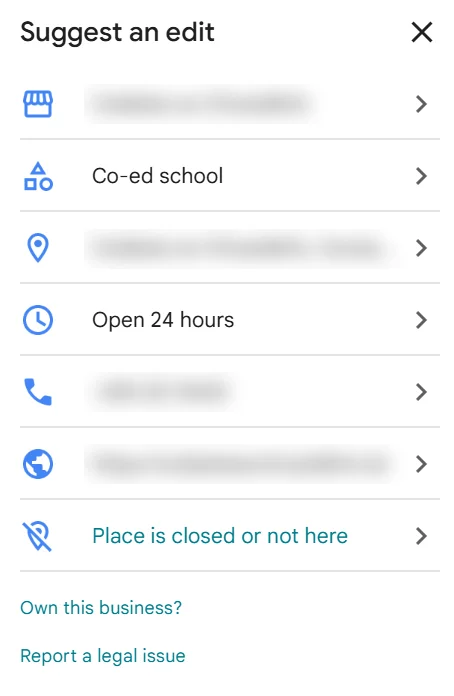
If the route is the problem, fix the road, not the pin. In one thread we read, a Diamond Product Expert found the Eircode in the right spot. Google Maps was simply missing the driveway. The routing improves once the driveway is on the map.
Two results for one house? That can be normal. Google keeps one result for the Eircode itself and another for the full address. Fix only the one that’s in the wrong place.
Edits by other people can undo yours. If your pin keeps moving back, stop editing and escalate it instead (Fix 4).
Fix 4: Your edit is stuck on Pending or Not Accepted
Check the status of your edit first. Pending means Google is still checking it. Not Accepted means Google couldn’t verify it. If either one drags on, ask a Product Expert on the Google Maps Help Community to escalate it.
To check, open the Google Maps app and tap Contribute, then View your profile. Scroll down to Edits. Only you can see this list. Google explains the statuses on its edits help page.
| Status | What it means | What to do |
|---|---|---|
| Pending | Google is still checking your edit | Wait about two weeks. Then escalate it |
| Accepted | Your edit was added to Maps | Clear the Maps app’s cache, or search in a private window. Give it up to a week to settle |
| Not Accepted | Google couldn’t verify your edit | Check the details against the Eircode Finder. Then send one corrected edit, or escalate |
You can’t cancel an edit once it’s sent. So don’t keep sending the same one. In the threads we read, new builds were often rejected. Either the house wasn’t on Google’s satellite photos yet, or the road to it wasn’t on the map.
How to get it escalated
- 1Wait about two weeks
Product Experts ask for your confirmation email. One asked for an email at least 15 days old.
- 2Gather your proof
A screenshot of the confirmation email and of the status under Edits. Your GPS coordinates. A screenshot from the Eircode Finder. A recent photo of the house or the street sign helps too.
- 3Get your coordinates
On a computer, right-click your building on Google Maps. The coordinates show at the top of the menu. Click them to copy.
- 4Post on the Help Community
Post on the Google Maps Help Community. Put “Ireland” and the problem in your title, then add your Eircode, coordinates and screenshots.
- 5Wait for a badged expert
Look for a Diamond, Platinum, Gold or Silver Product Expert. A Diamond Product Expert warned that many forum replies are AI-written, and that Bronze members aren’t Product Experts.
- 6Check the fix properly
When they say it’s done, clear the Maps app’s cache, or use your browser’s guest mode. Experts say some search and directions features take up to a week to settle.
Your post is public. Experts need the Eircode, coordinates and screenshots. Leave out names, phone numbers and anything else they don’t need.
What we found in 20 Irish Help Community threads
We read the 20 most recent Google Maps Help Community threads about Eircodes. They were posted between late August and October 2026. Here’s what went wrong, and what got fixed.
| The problem | Threads | What happened |
|---|---|---|
| Eircode or address missing from Maps | 7 | 4 fixed after a Product Expert escalated them. The others were still waiting |
| Pin on the wrong building, or mixed up with another address | 7 | 1 fixed by escalation, in 3 days. Several owners’ own edits were rejected or undone |
| Pin right, but the route wrong | 4 | Missing driveways and streets, and a road wrongly marked private. The expert advice was to add the road, not move the pin |
| Wrong area name for a whole estate | 2 | The same problem, posted twice. No reply from a Product Expert after nearly three weeks |
- Weeks on PendingOwners with a missing address had waited from 2 weeks to about 2 months before asking for help.
- DIY edits often failedIn 6 threads, the owner’s own edits or reports were rejected, ignored or undone.
- Experts asked for the same thingsThe confirmation email, the edit status, GPS coordinates, a map link and an Eircode Finder screenshot.
- Not every post gets an answer5 threads had no reply from anyone when we checked. 3 of them had waited 10 days or more.
- A verified business wasn’t enoughOne business had a verified Google Business Profile. Its address and Eircode still couldn’t be found on Maps.
We checked the threads on 24 October 2026. We’ve left out names, addresses and Eircodes.
If it’s your business address
Customers find your Google Business Profile, not your bare Eircode. So fix the address there too. Then make it match everywhere else.
Set your address and pin in your Business Profile
Open your Business Profile and select Edit profile, then Location.
Next to Business location, select Edit.
Enter the address as the Eircode Finder shows it, with your Eircode in the postcode field.
If Google can’t find it, select Adjust. Move the map until the pin sits on your door.
Select Done, then Save.
These are the steps on Google’s help page for editing your business address. Google says changes usually show within about 10 minutes, but some take up to 30 days. After a move, Google may also ask you to verify your business again.
- Do you go to your customers?Then hide your address and show the areas you cover. See Google Business Profile without a shopfront.
- Eircode in the postcode boxType your Eircode in the postcode field on its own, not on a street line. Fill in the other lines exactly as the Eircode Finder shows them.
- Use the same address everywhereYour profile, your website and every directory should show the same address and Eircode. That’s what local citations are about: see the best business directories in Ireland.
- Put it in your website’s codeAdd your Eircode as the postal code in your website’s business schema, as part of the address.
- Verified isn’t the same as on the mapIn one thread, a verified business still had an address and Eircode Maps couldn’t find. Check both.
- Don’t keep changing itBig edits in a short time can get a listing flagged. If yours is suspended, our free Profile Rescue Kit finds the likely cause.
New to all this? Start with how to get your business on Google Maps. Once your pin is right, read how to rank higher on Google Maps. Or let us do it. Our Google Business Profile management sets your address, Eircode and pin. Our citation building service makes every directory match. Both are included in every monthly SEO plan.
Use a Plus Code while you wait
A Plus Code is a free, short address for any spot on Google Maps. It works straight away, so it’s a handy stopgap while your Eircode gets fixed.
On Google Maps, click or tap your building to drop a pin.
Find the Plus Code in the details. It’s four characters, a plus sign, two more characters, then your town.
Add it to your directions, booking emails and delivery notes.
Use it alongside your Eircode, not instead of it. Your Eircode is still your official postcode. Google explains how they work on its Plus Codes page.
There’s more on getting found in our Google Business Profile guides.
Questions people ask
Something else on your mind? Email info@leadsireland.com.
How do I get my Eircode added to Google Maps?
Open Google Maps on a computer and click the Menu. Click Edit the map, then Wrong pin location or address. Centre the map on your building, enter the address with your Eircode, and submit. Google checks it before it goes live.
Why is my Eircode not recognised?
Usually because it’s new, and Google Maps hasn’t added it yet. It may also have been typed with the letter O instead of a zero. Check it on the Eircode Finder. If it’s there, add it to Google Maps yourself.
Why would an address not show up on Google Maps?
New builds often aren’t on Google Maps until someone adds them. Google can also reject an edit if the building isn’t on its satellite photos yet, or the road to it isn’t on the map.
How do I get Google Maps to show my postcode?
Type your Eircode into the Google Maps search box, with or without the space. If it finds your address, your Eircode is on Maps. If it doesn’t, add it with Edit the map.
How long does it take for an Eircode to show on Google Maps?
There’s no set time. In the threads we read, edits often sat on Pending for weeks. Once a Product Expert escalated them, fixes typically took about two weeks.
Can Eircode fix Google Maps for me?
No. Eircode runs the Eircode Finder, not Google Maps. Fixes to Google Maps go through Google: your own edit, or an escalation by a Product Expert.
Should my business show its Eircode on Google?
Yes, if customers visit you. Add it to your Business Profile address and your website, so customers and couriers land at your door. If you go to your customers, hide your address and show your service areas instead.
Reviews and real leads
What clients say about Essa’s work. And leads that came in through sites he does SEO for.
“Since then, my site ranks higher and more people find it on Google. … I’d recommend him to anyone who needs help with SEO.”
“He’s an incredibly talented and knowledgeable individual, not only in SEO but in various fields. … He has constantly delivered phenomenal outputs.”
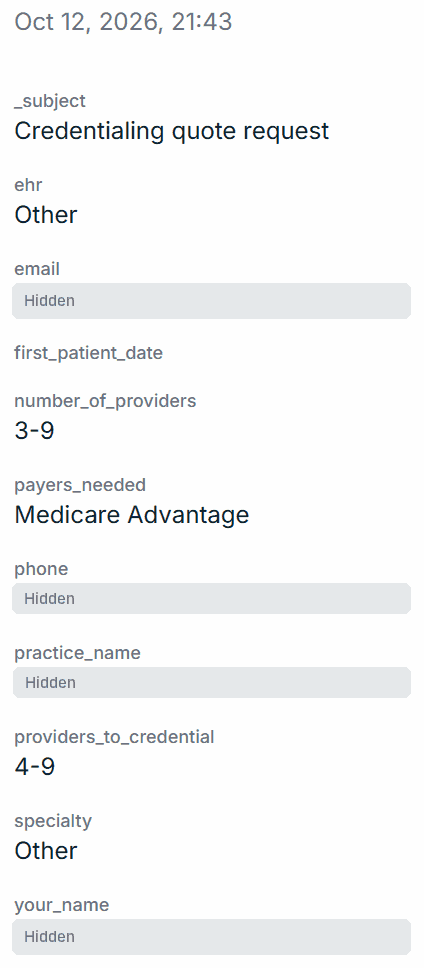
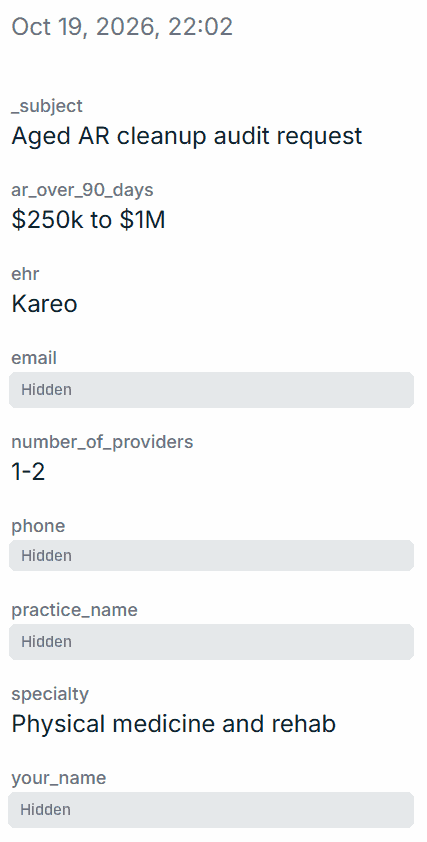
$100k+ lead
Aged AR audit request
Physical medicine and rehab · $250k–$1M unpaid over 90 days
Quilven · 19 October 2026
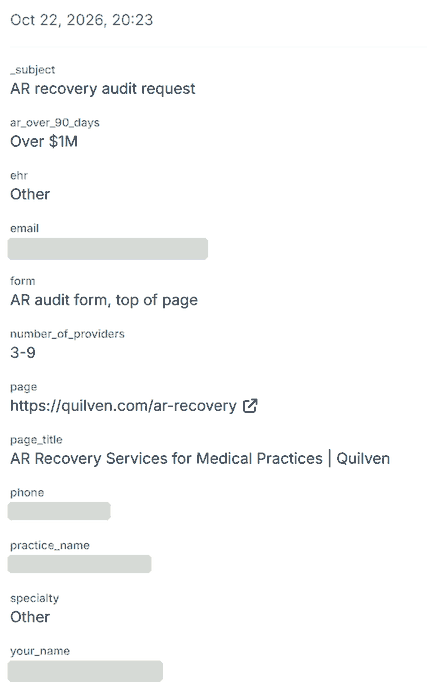
$100k+ lead
AR recovery audit request
3–9 providers · over $1M unpaid over 90 days
Quilven · 22 October 2026
Read the full messages on our reviews page, or see how the Quilven leads came in. Worked with us? Review us on Trustpilot.
Customers can’t find you? Let’s fix that.
Get a free audit of your Google Business Profile and website. We check your address and pin on Google Maps, see where you show up, and tell you what to fix first.
- Your address, Eircode and pin checked
- Findings within 24 hours, in plain English
- No obligation and no hard sell
Get your free SEO audit
Or book a free 20-minute call instead. It takes 30 seconds.