Google says my business is permanently closed. What now?
Usually someone suggested it. Anyone on Google Maps can mark a place as permanently closed, and Google also updates listings from its own sources. If you own the listing, you can reopen it in a minute. The fix is different if you moved or changed your name, and if Google won’t accept the change.

Updated 8 min read
Free closed-listing check
No obligation. Trusted by 10+ clients.
Showing as closed?Reply within one working day.
Free checkThe short answer
Google marks a listing permanently closed when someone reports it closed, or when its own sources say so. If you manage the listing, open Edit profile, then Hours, and choose “Open with main hours”. If you moved or changed your name, don’t reopen it: Google says to add a new profile instead.
Most common
Someone suggested it
A customer, a competitor or Google’s own data marked you closed. Reopen it in Edit profile, then Hours, then check it stays open.
Don’t reopen
You moved or changed your name
Google says to add a new profile, verify it, and ask Google to move your reviews across.
Not a closure
It says “Closed” with opening times
That’s your hours, not your status. Fix your hours, or set special hours for a short break.
Why Google says your business is permanently closed
Google gathers information from user reports and other sources. If those sources say your business has closed, Google may update your profile, sometimes without asking you first.
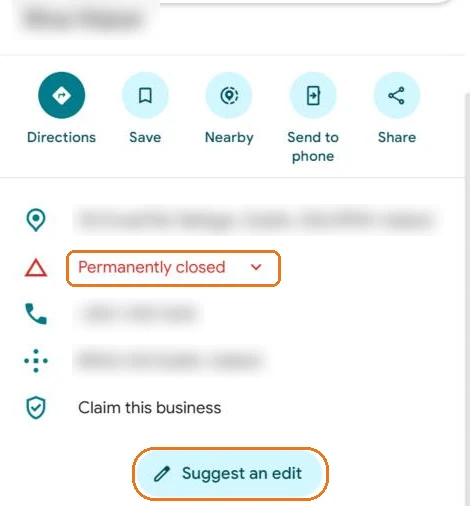
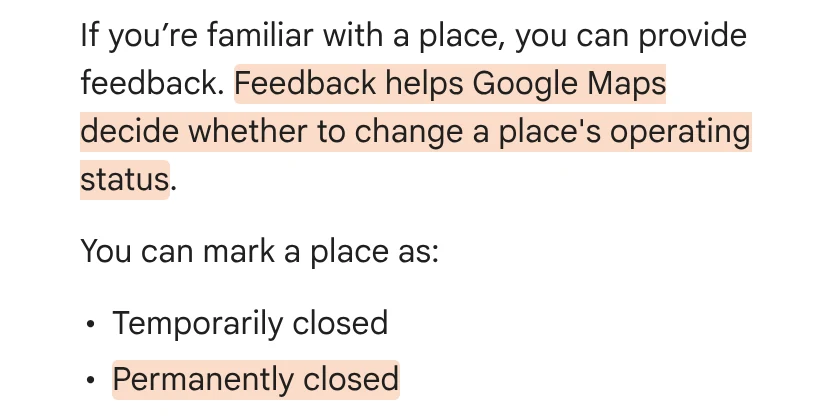
Every listing has that “Suggest an edit” button. Google Maps lets anyone who knows a place mark it as temporarily closed, permanently closed, moved or a duplicate. Google says this feedback helps it decide whether to change a place’s status.
| Cause | How it happens | The fix |
|---|---|---|
| A suggested edit | A customer, a former owner or a competitor picks “Permanently closed” on Maps | Reopen it yourself, then reject any new suggestion within four days |
| A Google update | Google’s sources, like user reports and licensed content, say you’ve closed | Reopen it, and make your website and other pages say you’re open |
| You or your staff | Someone marked it closed for a break, or picked the wrong option | Reopen it. For seven days or less, use special hours instead |
| A move or a new name | The old listing was closed as part of a location or name change | Don’t reopen it. Add a new profile, verify it, and ask Google to move the reviews |
| A duplicate | You had two listings, and one was reported as a duplicate | Keep the one you’ve verified and check it shows as open |
| No one manages it | The profile was never claimed, so nobody gets Google’s notices about suggested edits | Claim and verify it, then reopen it |
A closed listing is a different problem from a suspended one. Suspended means Google has taken your profile down for breaking its rules. If that’s you, see our guide on Google Business Profile suspended.
Find out what closed your listing
Three questions tell you which of the causes above fits, and what to do first.
Based on Google’s help pages, 21 November 2026. Everything runs in your browser: nothing you choose is sent anywhere.
How to reopen your Google listing
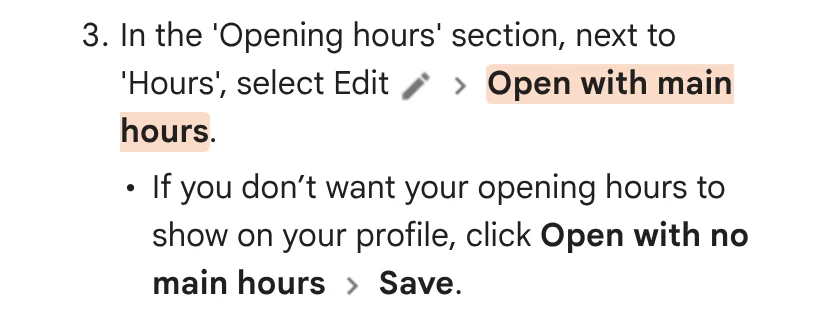
Sign in to the Google account that manages your profile. Then open Edit profile, then Hours, and choose “Open with main hours”.
Find your profile. Search your business name on Google while signed in, or open the Google Maps app and tap Business.
Open Edit profile, then Hours. In the Opening hours section, select Edit next to Hours.
Choose “Open with main hours”. Tick each day you’re open and set the times. Then select Save.
Check it went through. Google says edits usually take up to 10 minutes to review, and sometimes up to 30 days.
If you moved or changed your name
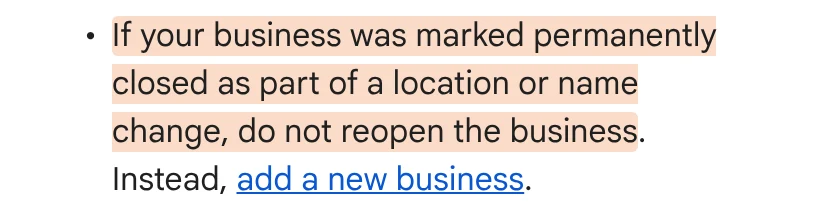
Don’t reopen the old listing. Google’s advice is to add a new business, verify the new profile, and contact Google if you want your reviews moved across.
A new address needs a pin in the right place. If your Eircode won’t show, see our guide to Eircode Google Maps problems.
If Google won’t accept the change
Google may reject an edit it can’t confirm. Businesses in Ireland can appeal some rejected edits with Google’s appeals tool. For anything else, contact Google Business Profile support.
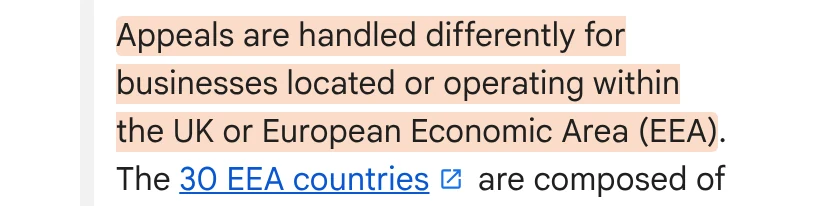
Ireland is in the European Economic Area, and Google handles appeals differently there. In the UK and the EEA, Google’s appeals tool covers rejected edits to your name, category, address, phone and website. Google says appeals can take up to five working days.
- Get your evidence readyGoogle lists official business registration, a business licence, tax certificates and utility bills. In Ireland, that’s your registration certificate from the Companies Registration Office.
- Match your listingThe business name and address on each document should match your profile.
- Appeal onceGoogle asks you not to send more than one appeal for the same issue while you wait.
- Don’t start againGoogle says not to create a new profile for the same business.
How to stop it happening again
Answer Google’s notices quickly, and keep your website and other pages saying you’re open. Google can publish a suggested edit if you don’t respond within four days.
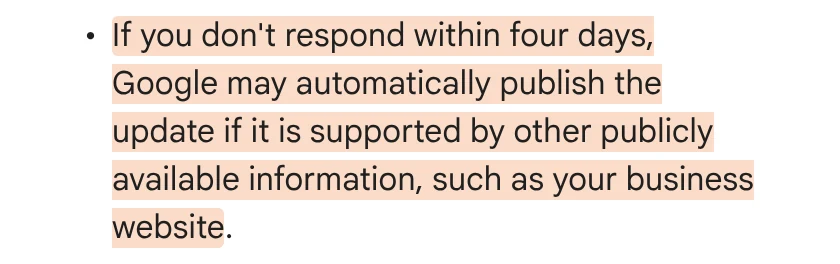
- Answer within four daysWhen Google emails you about a suggested edit, accept or reject it straight away.
- Check for blue textIn Edit profile, blue text is information Google changed. Look once a month.
- Keep your website currentGoogle can publish an edit if your website supports it. An old “we’ve moved” or “closed” notice works against you.
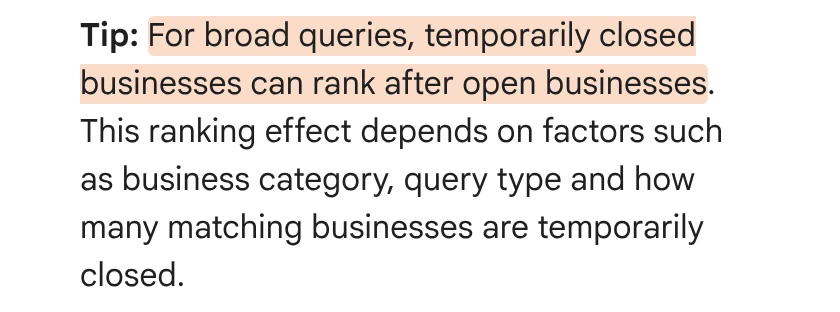
- Use special hours for short breaksGoogle says to use temporarily closed only for more than seven days. A long “temporarily closed” can also push you below open businesses.
In some regions, Google also sends automated calls, texts or WhatsApp messages to the number on your profile to confirm your details. Scammers copy this, often warning that your listing will be suspended. Our guide on the Google business listing phone call scam shows how to tell them apart.
A closed Google listing at a glance
- Who can mark you closed
- Anyone on Google Maps, through “Suggest an edit”
- Google’s other sources
- User reports and licensed content, among others
- Time to answer a suggested edit
- Four days, then Google may publish it
- Where to reopen
- Edit profile, Hours, “Open with main hours”
- Review time for your edit
- Usually up to 10 minutes, sometimes up to 30 days
- Moved or renamed
- Add a new profile, don’t reopen the old one
- Appeals in Ireland
- Google’s appeals tool for rejected name, category, address, phone and website edits
- Appeal decision
- Up to five working days
Words you’ll see on your listing
| Word | What it means for you |
|---|---|
| Permanently closed | Google shows the business as gone for good. The listing can still appear when people search your name. |
| Temporarily closed | Closed for more than seven days, for a season or until further notice. |
| Closed (with a time) | Outside your opening hours. Not a closure. |
| Special hours | One-off hours for holidays and short breaks of seven days or less. |
| Suggested edit | A change someone else proposed for your listing. |
| Google update | A change Google made from its own sources. It shows in blue in Edit profile. |
| Verified | Google has confirmed you manage the business, so you control the listing. |
When to get help
When the listing keeps closing again, when you moved and need your reviews brought across, or when Google rejects your edits.
Tell us your business and town with the form on this page, and we’ll find what changed. If you’d rather have someone look after your listing for you, our Google Business Profile management keeps it accurate, open and answering every Google notice. More on running your listing is in our Google Business Profile Ireland guides.
Questions people ask
Something else on your mind? Email info@leadsireland.com.
Why does Google say my business is permanently closed?
Usually someone marked it closed on Google Maps, or Google updated it from its own sources. Anyone can suggest that a place is permanently closed. If you manage the listing, you can reopen it in Edit profile, then Hours.
How do I reopen my business on Google?
Sign in to the account that manages your profile. Open Edit profile, then Hours, select Edit next to Hours, and choose “Open with main hours”. Set your times and save.
Can someone else mark my business as closed on Google?
Yes. Google Maps lets anyone who knows a place suggest that it’s temporarily or permanently closed. Google decides whether to apply it, and it may email you first.
How long does it take Google to reopen my listing?
Google says edits usually take up to 10 minutes to review, but sometimes up to 30 days.
Should I reopen the old listing after moving premises?
No. Google says that if your business was marked permanently closed as part of a location or name change, you should add a new business instead, verify it, and contact Google to move your reviews.
What does temporarily closed do to my ranking?
Google says temporarily closed businesses can rank after open businesses for broad searches. For breaks of seven days or less, use special hours instead.
What if Google rejects my edit?
In Ireland and the rest of the EEA, you can appeal rejected edits to your name, category, address, phone and website with Google’s appeals tool. Have evidence ready, like your CRO certificate or a utility bill. Appeals can take up to five working days.
Is a closed listing the same as a suspended one?
No. Closed is a status anyone can suggest. Suspended means Google has taken your profile down for breaking its guidelines, and it has its own fix.
Reviews and real leads
What clients say about Essa’s work. And leads that came in through sites he does SEO for.
“Since then, my site ranks higher and more people find it on Google. … I’d recommend him to anyone who needs help with SEO.”
“He’s an incredibly talented and knowledgeable individual, not only in SEO but in various fields. … He has constantly delivered phenomenal outputs.”
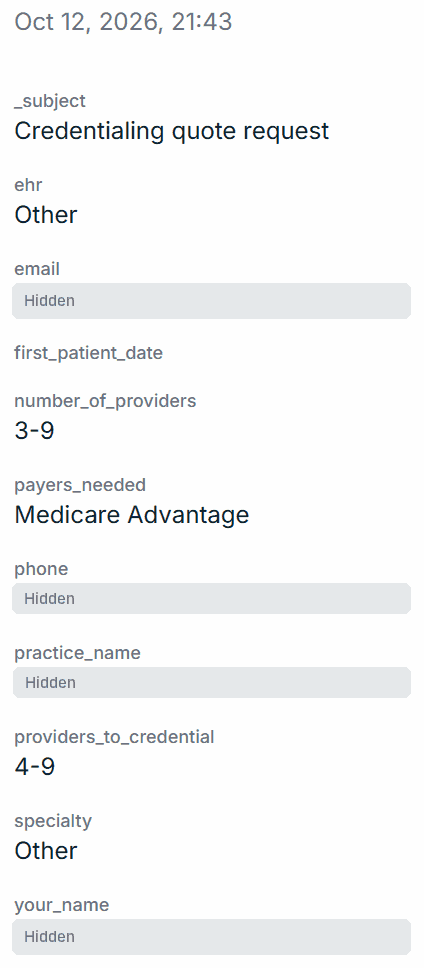
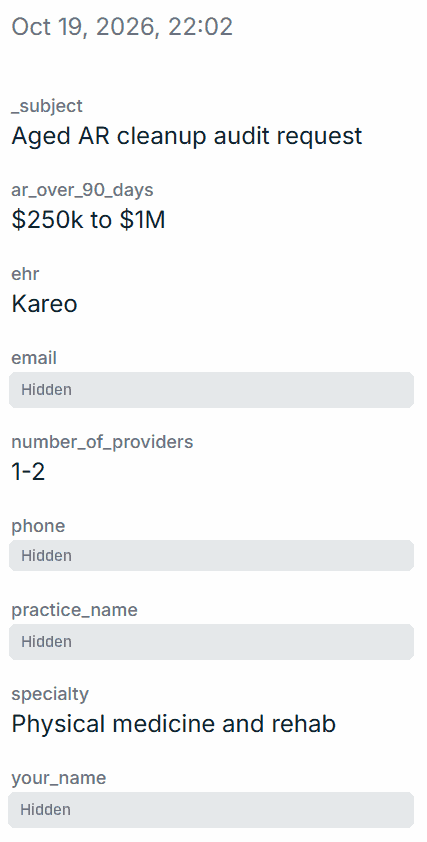
$100k+ lead
Aged AR audit request
Physical medicine and rehab · $250k–$1M unpaid over 90 days
Quilven · 19 October 2026
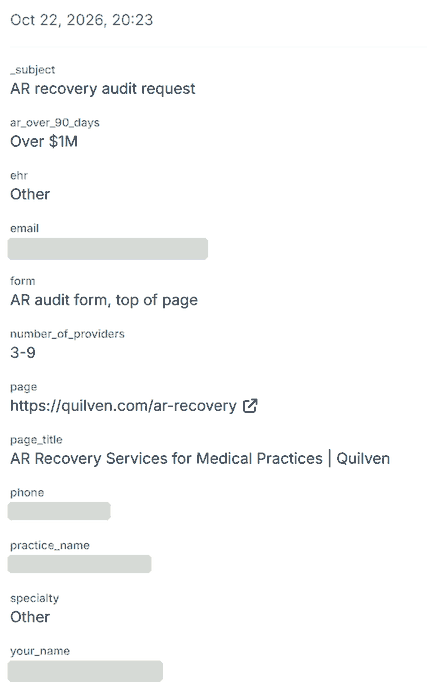
$100k+ lead
AR recovery audit request
3–9 providers · over $1M unpaid over 90 days
Quilven · 22 October 2026
Read the full messages on our reviews page, or see how the Quilven leads came in. Worked with us? Review us on Trustpilot.
Find out why Google shows you as closed.
Tell us your business and town. We check your listing, find what changed, and tell you how to get it showing as open.
- Your listing, its edits and duplicates checked
- A clear fix within one working day
- No obligation and no hard sell
Get your free closed-listing check
Or book a free 20-minute call instead. It takes 30 seconds.