Google Ads clicks but no calls: what to check, in order
Clicks with no calls usually come down to three things. The wrong people are clicking, the page doesn’t make calling easy, or the calls happen but aren’t counted. Check them in that order. It matters fast: in our Cork check, a top spot for “roof repair cork” ran €11 to €18 a click, so 20 wasted clicks can cost €230 to €370.

Updated 9 min read
Free clicks-to-calls check
No obligation. Trusted by 10+ clients.
Clicks but no calls?Reply within one working day.
Free checkThe short answer
Google Ads that get clicks but no calls are usually showing to the wrong people, sending them to a page that makes calling hard, or missing the calls they do bring. Three of the settings that cause it are switched on by default.
Check first
Who’s clicking
Read the search terms report. Set your locations to people in your area, and turn off search partners. Most wasted clicks start here.
Then
What they land on
A page that matches the search, with your number at the top, tappable on a phone. And ads that only run when someone answers.
Last
What gets counted
Calls from the ad, calls from the website and forms. Without tracking, you may have leads you can’t see.
Is it bad luck, or is something broken?
Below about 30 clicks, it can be bad luck. After that, zero calls usually means something is broken. The maths depends on how many visitors normally get in touch.
Say 1 in 20 people who land on your page would usually call or send a form. Then 91 clicks with no leads at all happens by chance less than 1 time in 100. If only 1 in 50 would get in touch, the same 91 clicks come up empty about 1 time in 6. Try your own numbers:
The 5% is an example, not a Google figure. Use your own rate if you know it. Everything runs in your browser: nothing you type is sent anywhere.
Seven reasons Google Ads get clicks but no calls
Wrong searches, wrong places, wrong sites, wrong hours, a page that hides your number, calls that aren’t counted, and clicks that aren’t real people. Here’s how to check each one.
| Reason | How to check | The fix |
|---|---|---|
| Searches that don’t match the job | The search terms report | Add negative keywords for the wrong searches. Use phrase or exact match for your main ones |
| People outside your area | Location options. “Presence or interest” is the default | Choose “Presence”: people in, or regularly in, your area |
| Ads on other websites | Networks, in the campaign settings. Search partners are on by default | Untick search partners, and the Display Network if it’s on |
| Ads running when no one answers | Ad schedule. It’s “All day” by default | Schedule your ads and your call asset for the hours you pick up |
| A page that hides your number | Open your landing page on your phone | Your number at the top, tappable, and the same service the ad promised |
| Calls that aren’t counted | The Conversions column | Turn on call reporting, and track calls from your website and forms too |
| Clicks that aren’t people | The Invalid clicks column | Google filters these and doesn’t charge for them. Check the column before you blame the ads |
1. Check the searches your ads really showed for
Your keywords aren’t the searches people typed. The search terms report shows the real searches, and it’s where most wasted clicks turn up: “roofing jobs”, “roof repair course”, a town you don’t cover, or a competitor’s name. Our free wasted-spend checker reads that report and flags them.
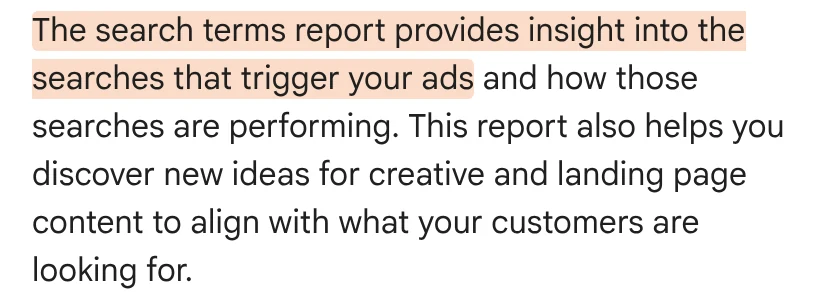
Add the wrong ones as negative keywords, so the ad stops showing for them. If most of the list is wrong, your keywords are too loose: switch your main ones to phrase or exact match.
2. Show your ads to people in your area, not people “interested” in it
By default, Google shows your ads to people in your area and to people it thinks are interested in it. That can mean someone in Dublin researching a Galway holiday home sees a Galway roofer’s ad.
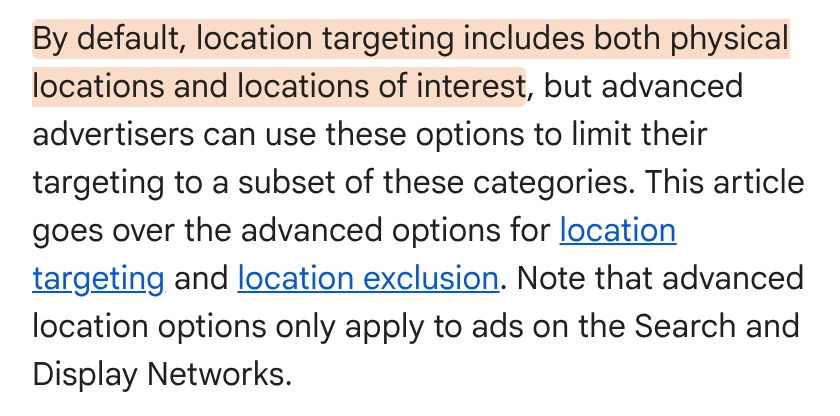
For a local service, choose “Presence”: people in, or regularly in, your targeted locations. Google itself says to consider it when you only want people in those places.
3. Turn off search partners
Search campaigns also show on partner websites and YouTube unless you untick them. Google warns that clicks from some partner sites “may not always reflect highly targeted traffic”.
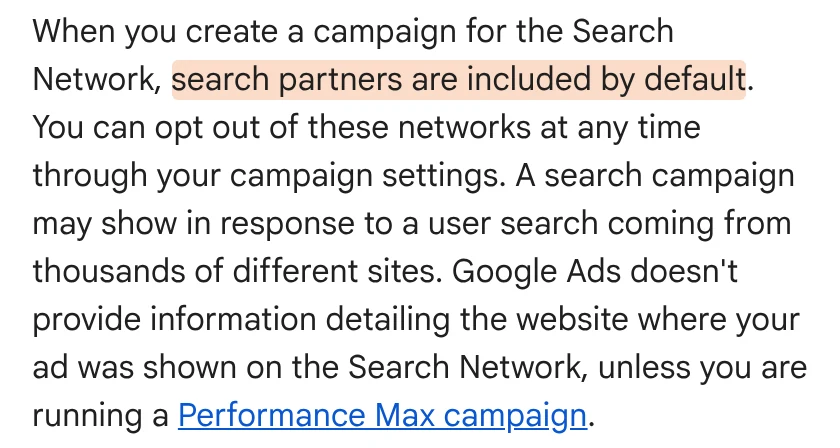
In the campaign settings, open Networks and untick “Include Google search partners”. Check the Display Network box while you’re there: a search campaign for a local trade rarely needs it.
4. Only run your ads when someone can answer
Ads run all day unless you set a schedule. A call at 10pm that rings out is a lost lead, and often a bad review.
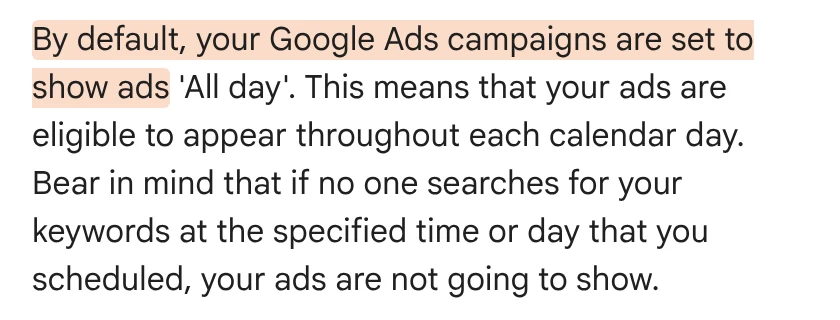
Set the ad schedule to the hours you answer. Your call asset, the phone number under the ad, has its own schedule too: Google lets you show the number only when your business can accept calls.
5. Make calling easy on the page
If the searches are right and people still don’t call, the page is the problem. Open it on your phone, as a customer would. Your number should be at the top, tappable, with the service and town from the ad right there. Our guide to Google Ads landing page best practices goes through what the page needs.
6. Make sure the calls you get are counted
Sometimes the calls come, but Google Ads shows zero. Call reporting puts a Google forwarding number on your ad, so each call is counted. It’s available in Ireland. Calls from your website and form leads need their own tracking: here’s how to track calls and forms from Google Ads.
7. Check for clicks that aren’t real people
Bots and accidental double-clicks happen. Google filters invalid clicks and doesn’t charge for them, and credits you if it finds them later.
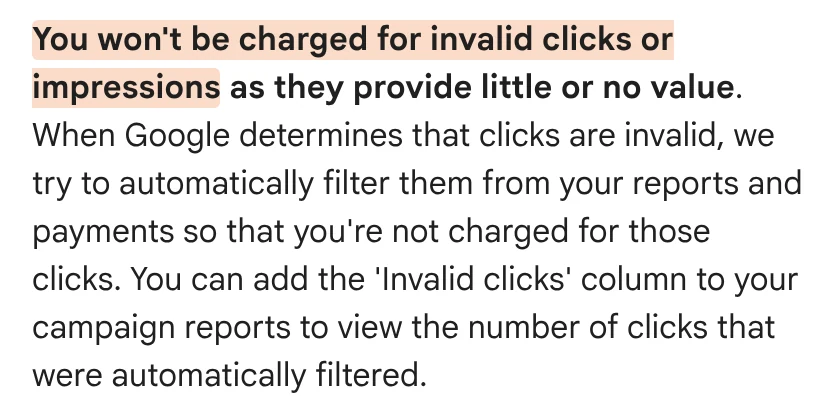
Add the “Invalid clicks” column to your campaign report to see how many were filtered. If the clicks you paid for were real, the fix is in reasons 1 to 6, not here.
The settings behind most wasted clicks, at a glance
- Location targeting
- “Presence or interest” by default. For a local service, choose “Presence”
- Search partners
- Included by default in search campaigns
- Ad schedule
- “All day” by default
- Call asset hours
- Can be set to show your number only when you take calls
- Call tracking in Ireland
- Available, with Google forwarding numbers
- Invalid clicks
- Filtered out and not charged for
- Where the real searches are
- The search terms report
Words you’ll see
| Word | What it means for you |
|---|---|
| Keyword | What you tell Google to show your ad for. |
| Search term | What the person really typed. It can be far from your keyword. |
| Negative keyword | A word that stops your ad showing, such as “jobs” or “course”. |
| Presence | The location option that shows ads only to people in, or regularly in, your area. |
| Search partners | Other websites and YouTube, where search ads can also show. |
| Call asset | Your phone number, shown under the ad as a call button. |
| Google forwarding number | A number Google shows instead of yours, so it can count the calls. They still reach you. |
| Conversion | A lead Google Ads counts: a call, a form or a booking. |
A 15-minute check, step by step
Do these in order, in your Google Ads account. Stop when you find the problem, fix it, and give the ads another week.
Open the search terms report. Look at the last 30 days. Add every search that isn’t your job, or isn’t in your area, as a negative keyword.
Check the location options. In the campaign settings, open Locations, then Location options, and choose “Presence”.
Check the networks. Untick “Include Google search partners”, and the Display Network if it’s ticked.
Check the schedule. Set the ad schedule, and the call asset’s hours, to the times you answer.
Open your page on your phone. Tap the number. Does it ring? Is the service from the ad right there?
Check the Conversions column. If it shows nothing at all, your tracking may be off. Test it: dial the number on your ad from another phone. Dialling it by hand isn’t charged.
Add the Invalid clicks column. See how many clicks Google already filtered out.
Want to go deeper? Our Google Ads audit checklist walks through the rest of the account, report by report.
When to get help
When you’ve done the check and the calls still don’t come, or you’d rather not spend another week finding out. That’s when a second pair of eyes saves money.
Our free Google Ads audit reads your search terms, locations, tracking and bidding, and explains what your data says in plain English. Or ask for the free clicks-to-calls check below. More on running ads for an Irish business is in our Google Ads guides, and real click prices for 27 searches are on our page about Google Ads in Cork.
Questions people ask
Something else on your mind? Email info@leadsireland.com.
Why am I getting Google Ads clicks but no calls?
Usually because the ads show for the wrong searches or places, the landing page makes calling hard, or the calls aren’t being counted. Check the search terms report, your location options and search partners first. Three of the settings that cause it are on by default.
How many clicks should it take to get a call from Google Ads?
It depends on how many visitors usually get in touch. If 1 in 20 would, 91 clicks with no leads happens by chance less than 1 time in 100. If only 1 in 50 would, it happens about 1 time in 6. Below about 30 clicks, it’s too early to tell.
Should I turn off search partners in Google Ads?
For a local service business, usually yes. Search partners are included by default, and Google says clicks from some partner sites may not always reflect highly targeted traffic. Untick them in the campaign’s network settings and compare.
What location setting should a local business use in Google Ads?
“Presence”: people in, or regularly in, your targeted locations. The default also shows ads to people who are only interested in your area, which can bring clicks from far away.
Are competitors clicking my Google Ads?
Google filters clicks it judges invalid and doesn’t charge for them, and credits you if it finds them later. Add the Invalid clicks column to see how many it caught. Most wasted spend comes from settings and searches, not from competitors.
Does Google Ads track phone calls in Ireland?
Yes. Call reporting is available in Ireland. It shows a Google forwarding number on your ad and counts the calls. Calls from your website and form leads need their own Google Ads conversion tracking.
Should I stop my Google Ads if I get no calls?
Pause and fix rather than raise the budget. Run the 15-minute check: search terms, locations, networks, schedule, landing page, tracking and invalid clicks. Then give the ads another week and compare.
Is it my ads or my landing page?
Check the search terms first. If the searches are right and people click but don’t call, it’s the page: make your number easy to see and tap, and match what the ad promised.
Reviews and real leads
What clients say about Essa’s work. And leads that came in through sites he does SEO for.
“Since then, my site ranks higher and more people find it on Google. … I’d recommend him to anyone who needs help with SEO.”
“He’s an incredibly talented and knowledgeable individual, not only in SEO but in various fields. … He has constantly delivered phenomenal outputs.”
$100k+ lead
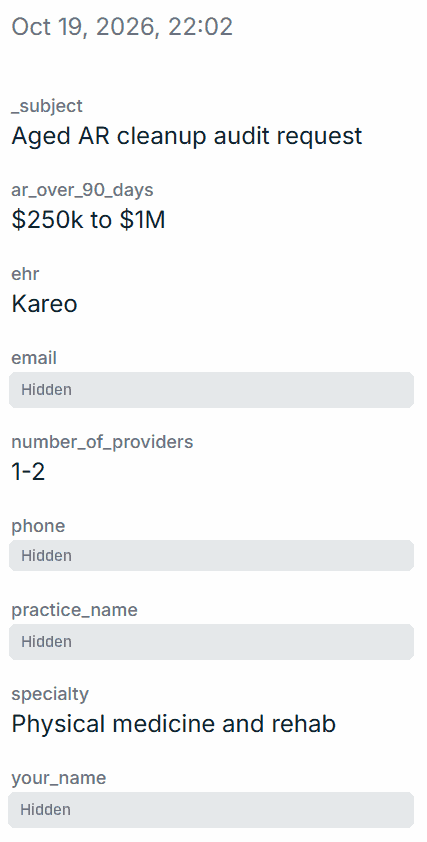
Aged AR audit request
Physical medicine and rehab · $250k–$1M unpaid over 90 days
Quilven · 19 October 2026
$100k+ lead
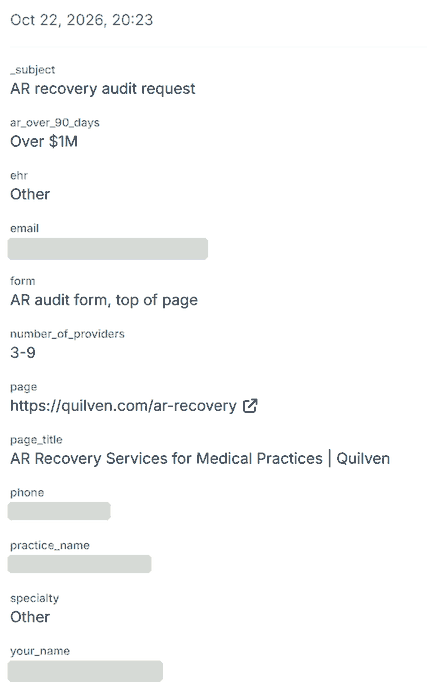
AR recovery audit request
3–9 providers · over $1M unpaid over 90 days
Quilven · 22 October 2026
Read the full messages on our reviews page, or see how the Quilven leads came in. Worked with us? Review us on Trustpilot.
Find out where your Google Ads clicks are going.
Get a free clicks-to-calls check. We look at your search terms, settings, landing page and tracking, and tell you what to fix first.
- Your searches, locations and networks checked
- An honest answer within one working day
- No obligation and no hard sell
Get your free clicks-to-calls check
Or book a free 20-minute call instead. It takes 30 seconds.